Petalinux 命令
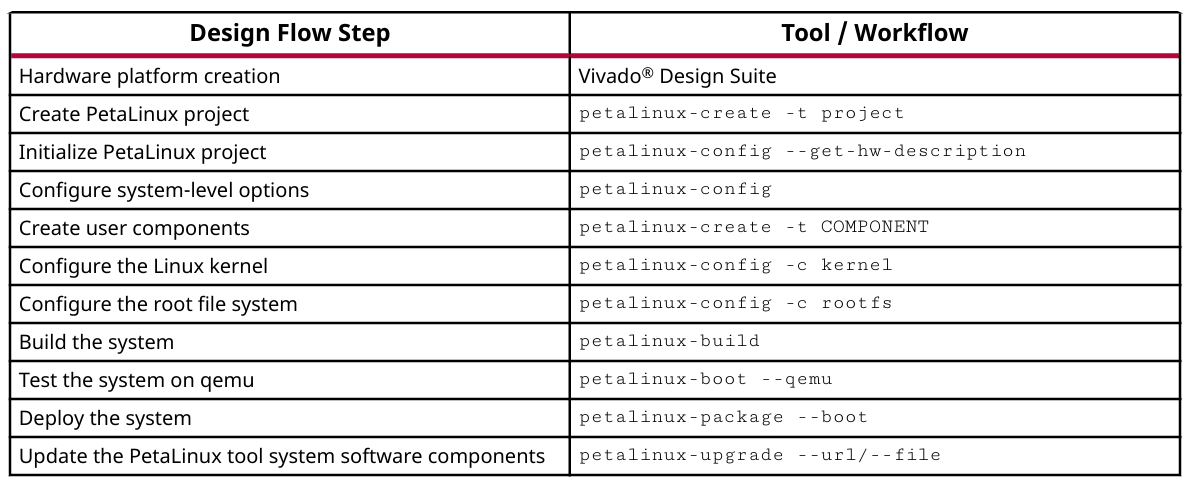
参考《UG 1157 PetaLinux Command Line Reference Guide》
1
2
3
4
5
6
7
8
9
10
11
12
13
14
15
16
17
18
19
20
21
|
petalinux-create -t project --template zynq -n <name>
cd 上一步的工程
petalinux-config --get-hw-description ../xsa_folder/
petalinux-config -c kernel
petalinux-config -c rootfs
petalinux-build
petalinux-package --boot --fsbl --fpga --u-boot --force
mount -t nfs -o nolock 192.168.0.1:/home/moerjie/work /mnt
|
Petalinux 设置本地编译
Xilinx下载中心
首先在下载中心下载 petalinux 对应版本的”arm sstate-cache”和”download”包。
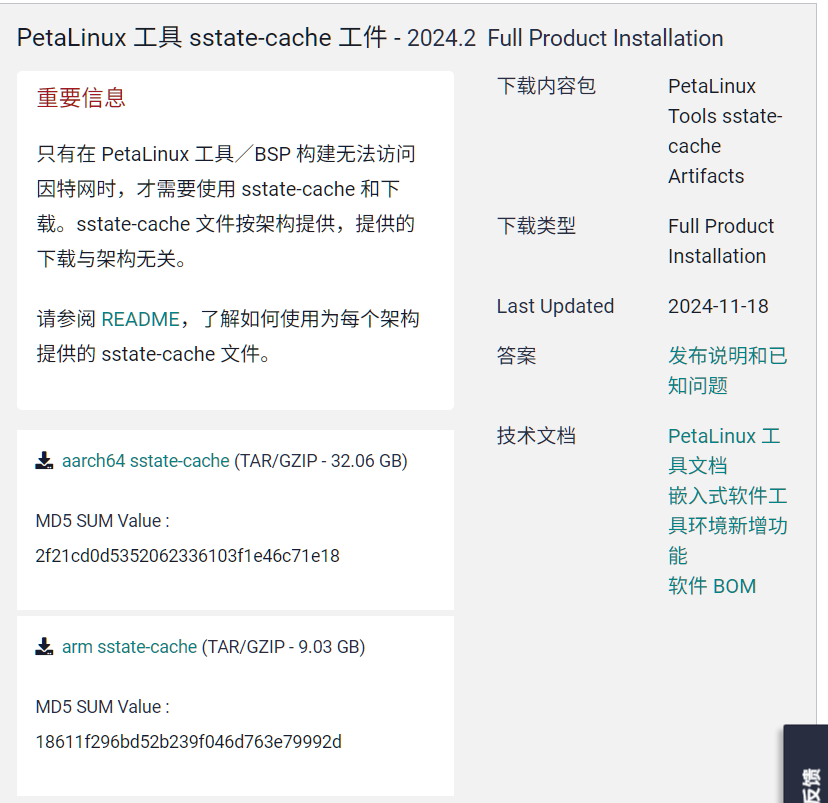
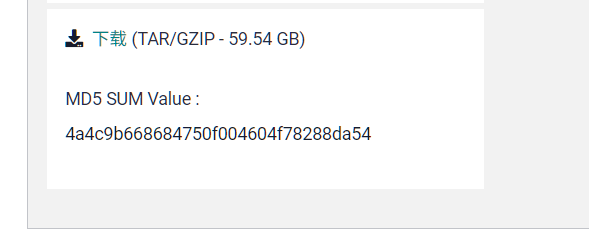
将下载好的文件解压到 /opt/pkg/tools/ 文件路径下,使用 petalinux-config 配置工程。配置过程可见《领航者 ZYNQ 之嵌入式 Linux 开发指南 V 3.2》6.4 节。
与正点原子教程不同的地方
正点原子的修改 project-spec/meta-user/conf/petalinuxbsp. Conf 的代码如下:
1
2
3
4
5
6
| PREMIRRORS_prepend =
git://.*/.* file:///mnt/hgfs/share18/downloads/downloads \n \
gitsm://.*/.* file:///mnt/hgfs/share18/downloads/downloads \n \
ftp://.*/.* file:///mnt/hgfs/share18/downloads/downloads \n \
http://.*/.* file:///mnt/hgfs/share18/downloads/downloads \n \
https://.*/.* file:///mnt/hgfs/share18/downloads/downloads \n
|
但是 2023.2 版本的 petalinux 不支持这个语法,需改为:
1
2
3
4
5
6
| PERMIRRORS:prepend =
git://.*/.* file:///opt/downloads \n \
gitsm://.*/.* file:///opt/downloads \n \
ftp://.*/.* file:///opt/downloads \n \
http://.*/.* file:///opt/downloads \n \
https://.*/.* file:///opt/downloads \n
|
1
2
| pre-mirror: file:///opt/downloads
sstate: /opt/sstate/arm/
|
挂载 PL 端的 IP 到设备树
将创建好的 petalinux 工程编译一遍后,在 ./components/plnx_workspace/device-tree/device-tree 路径下会生成 pl.dtsi 文件,将内部的设备树相关的配置复制粘贴到 ./project-spec/meta-user/recipes-bsp/device-tree/files 中的 system-user.dtsi 中,编译后在系统中加入新的设备。
Petalinux 支持的 axisfifo 的驱动版本是 4.1,但是 vivado 2023.2 中的 axis fifo 的版本为 4.3,因此要将 compatible 中的 "xlnx,axi-fifo-mm-s-4.3" 改为 "xlnx,axi-fifo-mm-s-4.1"。
Axis fifo 必须将中断信号连接到 zynq processing system 才能正确挂载到设备树。
使用 dtc -I dtb -O dts 反编译在 ./images/linux/ 路径下的 system.dtb 文件,即可看到挂载的新设备。